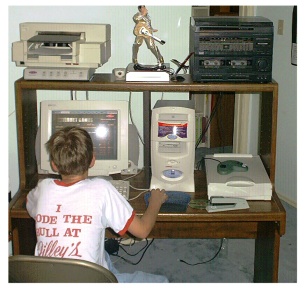
 August 1st: I already had 2 PC's at home; both Compaqs. The PC on
the left is a 533 mhz Presario with a CD-RW drive. It is named the
"big computer;" the CPU on the right is a Compaq Prosignia and for
network purposes is the "little computer."
August 1st: I already had 2 PC's at home; both Compaqs. The PC on
the left is a 533 mhz Presario with a CD-RW drive. It is named the
"big computer;" the CPU on the right is a Compaq Prosignia and for
network purposes is the "little computer."I installed and am continuing to configure a home client-server network to help me with my MCSE (Microsoft Certified Systems Engineer) tests. You can follow my progress below.
August 1st: I already had 2 PC's at home; both Compaqs. The PC on
the left is a 533 mhz Presario with a CD-RW drive. It is named the
"big computer;" the CPU on the right is a Compaq Prosignia and for
network purposes is the "little computer."
 I
needed a server. The requirements for Windows 2000 server are a 133mhz Pentium
with at least 128 mb of ram; luckily I found an IBM 325 server on Ebay
for $100 with a 200mhz Pentium processor and 128 mb of ram. Since this
network is for training purposes I wanted to spend the least amount of money
possible. This server came with 2 blank SCSI hard drives; I had to format
& partition the drives, then load the operating system. I used a Win
98 "emergency" disk to access DOS and the CD Rom drive; unfortunately
after I loaded Win 98 the server froze each time it was booted up. It
would not start even in the "safe" mode or going step by step. I
ended up formatting again and trying Win 95 instead, which worked. I then
ran the Win 2000 server setup and installed the network OS. My guess is
that the on-board video was not compatible with Win 98 for some reason.
I
needed a server. The requirements for Windows 2000 server are a 133mhz Pentium
with at least 128 mb of ram; luckily I found an IBM 325 server on Ebay
for $100 with a 200mhz Pentium processor and 128 mb of ram. Since this
network is for training purposes I wanted to spend the least amount of money
possible. This server came with 2 blank SCSI hard drives; I had to format
& partition the drives, then load the operating system. I used a Win
98 "emergency" disk to access DOS and the CD Rom drive; unfortunately
after I loaded Win 98 the server froze each time it was booted up. It
would not start even in the "safe" mode or going step by step. I
ended up formatting again and trying Win 95 instead, which worked. I then
ran the Win 2000 server setup and installed the network OS. My guess is
that the on-board video was not compatible with Win 98 for some reason.
August 10th: I loaded Windows 2000 on the "bigcomputer"
Compaq Presario. Before Win 2000 loads, it creates a report that lists
hardware that is not compatible; it listed my video card, modem, and sound
card. I proceeded thinking that I could just download the drivers for
these later.
I found out that the video and sound were "on board;" that is, they
are integrated parts of the Presario motherboard. The video chip was made
by Trident, with modifications by Via technologies. The sound chip was
"ESS." After downloading numerous drivers, visiting Compaq's site
(they had the needed modem drivers but not video or sound) Microsoft's site, and
Trident & Via Technologies' site, I gave up and bought a new video and sound card that were Win 2000
compatible. What I learned: It's best not to buy computers
that have a lot of integrated features as they are harder to upgrade, even
though they may be cheaper. In a corporate environment the hardware needs
to be upgradeable, and as consistent as possible among workstations, to avoid
delays in upgrades.
| PAGE 2 > | <BACK | HOME |